
Clearing your browser cache and history can help resolve issues and improve your experience using MCM. Here are some steps to clear your cache in your web browser below:
-
Navigate to the top right corner and click the ellipsis.
-
Navigate to History selection.
-
From there select History again or the Trash Can icon at the top.
-
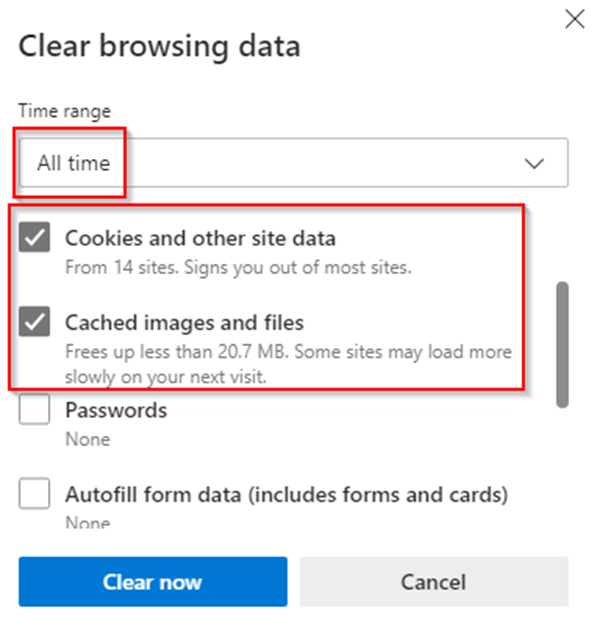
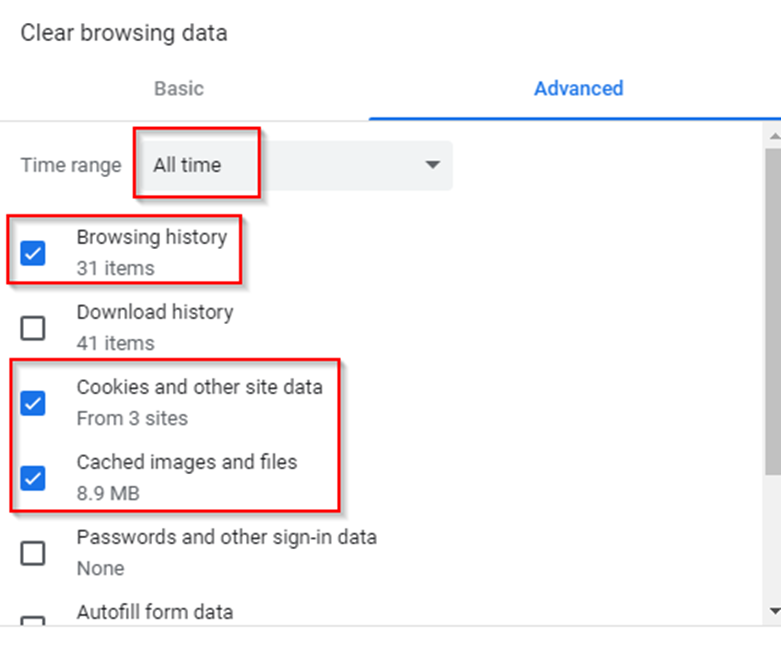
From there you will want to clear all cache images relating to the image below:
MS Edge:
Google Chrome:
Important: Make sure to close your browser and reopen after clearing cache and cookies.