
To bookmark MCM in your web browser:
Google Chrome:
-
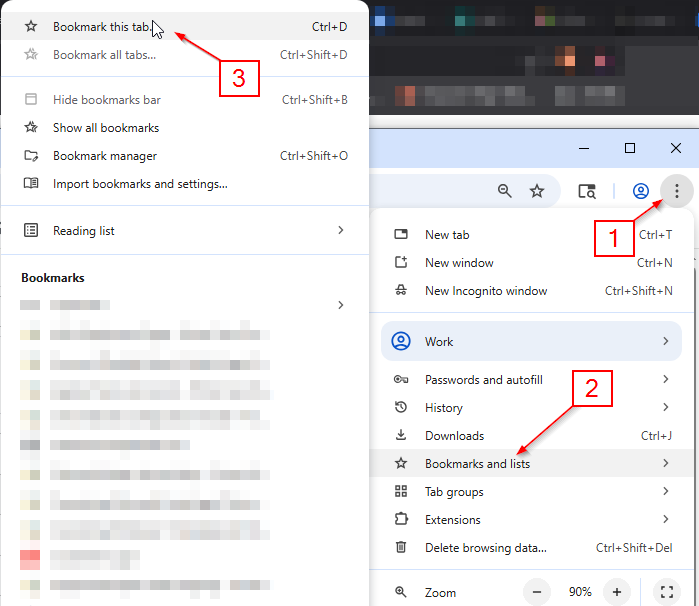
Select your web browser menu
-
Navigate to the Bookmarks section of your web browser menu
-
Select “Bookmark this tab” - It will show up on your bookmarks bar at the top of your web browser
Microsoft Edge:
-
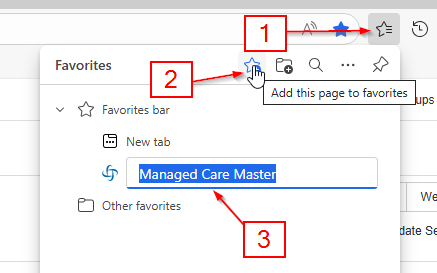
Select your bookmarks icon, labeled as rushing star (see below)
-
Select “Add this page to favorites”
-
You will see “Managed Care Master” favorited in your bookmarks. It will show up on your bookmarks bar at the top of your web browser
💡 Most all web browsers will follow the same principal when bookmarking if you’re using an alternative web browser.