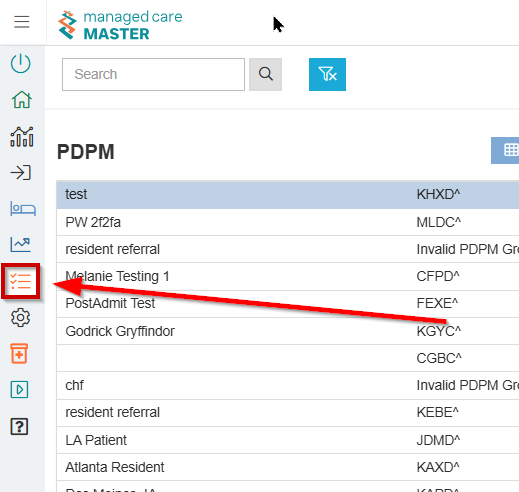
New Reports
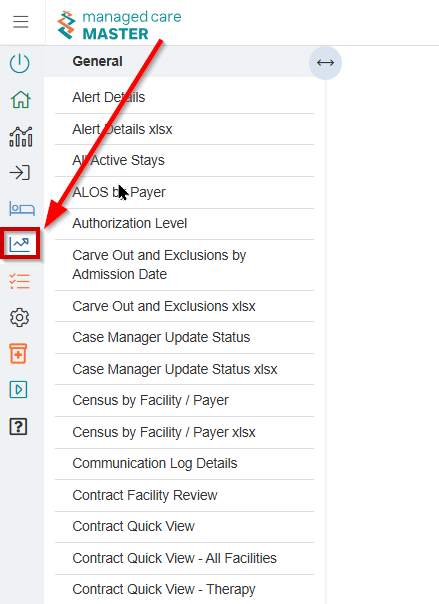
The accessible reports contained in this section are listed on the left hand side. When you select a report, you will see configurable options and parameters.
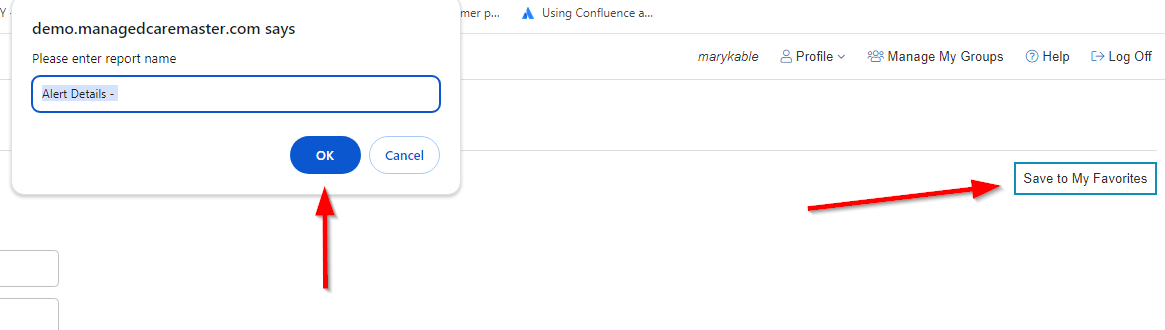
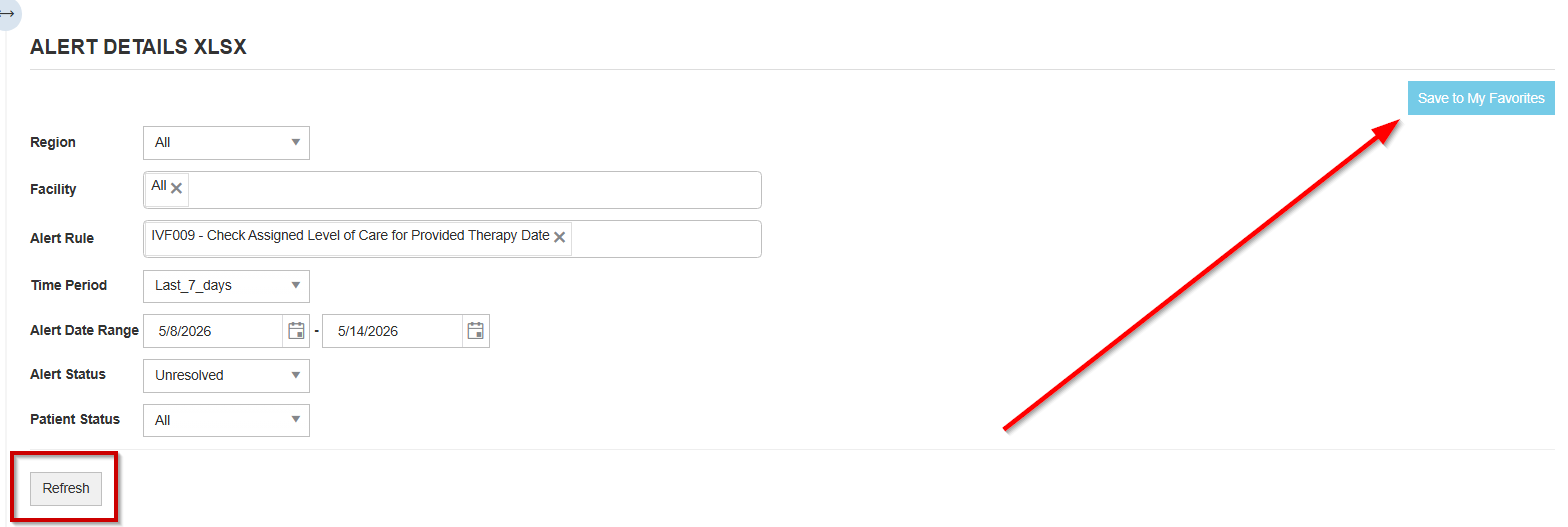
If you have a report you regularly generate, you may Save to My Favorites
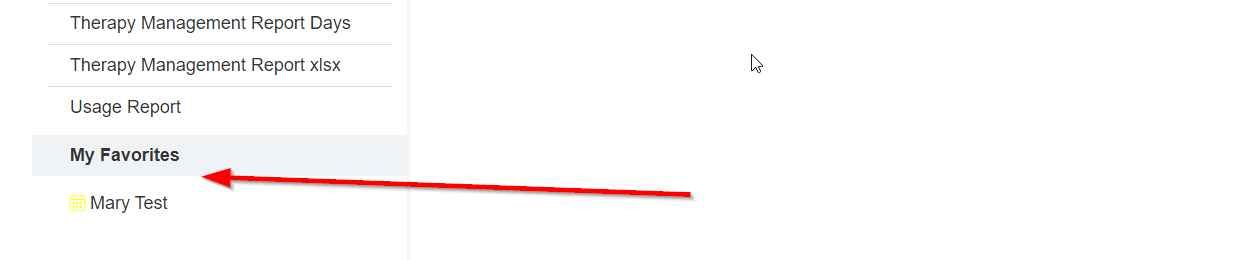
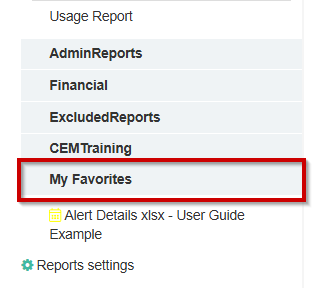
The report will be displayed at the bottom of the report list under My Favorites
The Save to My Favorites function can be enabled by submitting a request to service@managedcaremaster.com.
Scheduling Email Reports
-
Select a Report, update its parameters, and click Refresh
-
Select Save to My Favorites
-
In the left navigation bar, scroll to the bottom and select your newly added My Favorites
-
Click the Schedule Report button (top right)

-
Under Execute on, set the recurrence for running the report
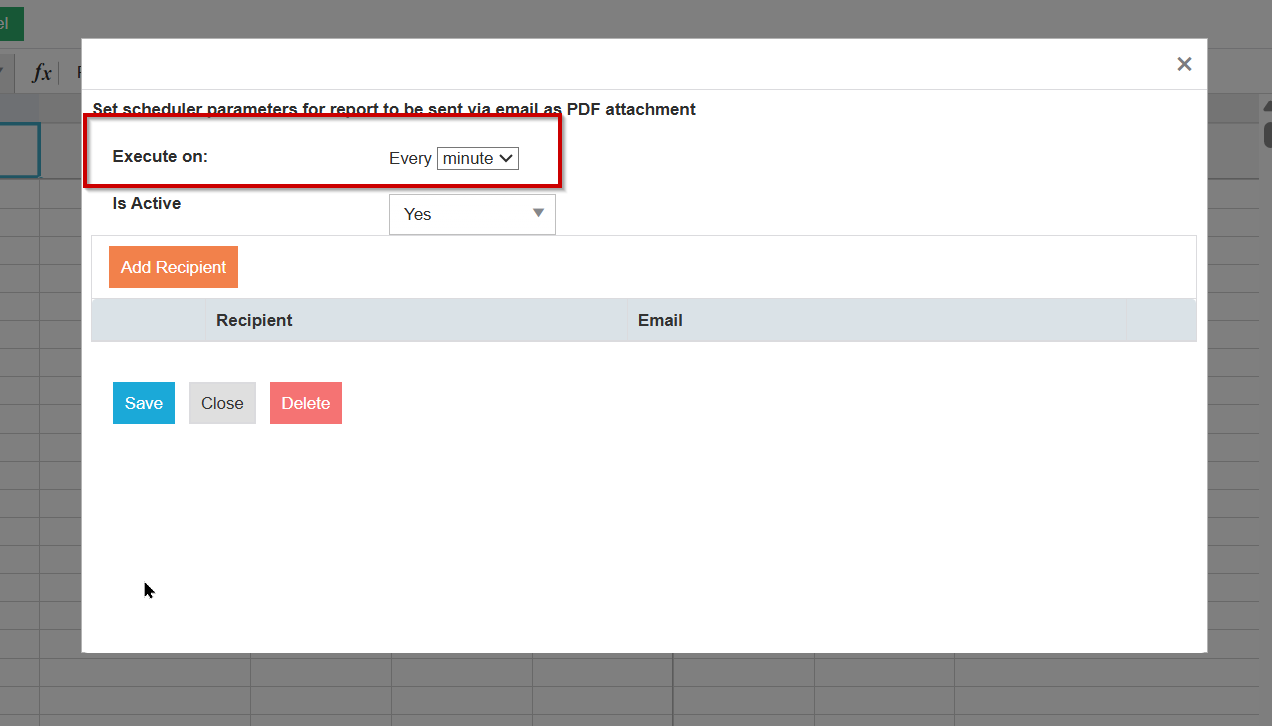
Note: If you need to schedule a report multiple times per frequency (e.g. twice weekly), create a separate My Favorite for each instance
-
Click Save the Schedule, then return to the Schedule Report
-
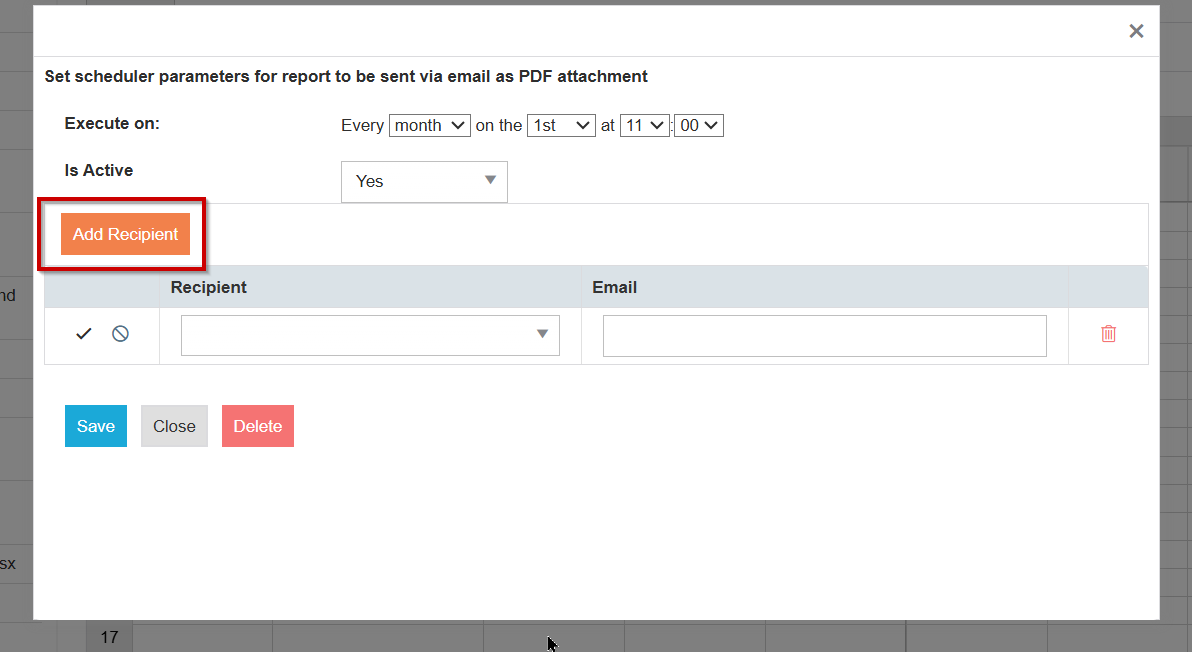
Click Add Recipients
-
Search by name and check the box to auto-add their email (if they already have an email address in MCM)
-
Note: Users will only appear in the list if they’ve logged in and have an active account.
-
Click Save
PDPM Grouper
The PDPM grouper tool can be used to evaluate and arrive at case-mix categories for patients under PDPM.
In this screen, you may search and clear filters.