
Calendar
Tutorial
The Calendar is the landing page for all roles within MCM. The Calendar has several viewing options.

Filtering Options
The filters at the top of the Calendar will determine the set of patients displayed at the selected facility.
Group
-
This is for filtering groups like Alert Email groups or if you happen to have any bookmarked patients set in your account.
Regions
-
Region of the SNF (Skilled Nursing Facility) you would like to view.
Facilities
-
Filters the exact facility information you would like to view.
-
If you are assigned to one facility, that is the only facility you will have access to view. If you serve more than one location, you will have a dropdown to select or multi-select your facilities.
Date Display
-
Notice the Today selection in the left-hand corner. The arrow on the right provides the ability to navigate forward or backward through the Calendar.
-
The display in the right-hand corner will allow you to look at a Day/Week/Month/List view.

Patient Filters
The Calendar will display information pulled in from the Admissions screen and other areas of the platform based on selections.
CM Update
-
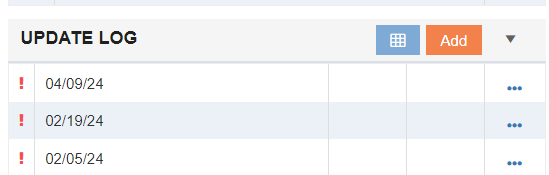
Displays updates on the Calendar that are due and appear as yellow. This information is pulled from the Update Log tile on the Admissions screen.
Authorizations
-
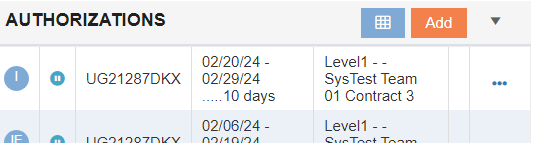
Authorizations for patients that are expiring appear as pink. This information is pulled from the Authorizations tile on the Admissions screen.
Admissions
-
Displays when patients are admitted into the SNF (Skilled Nursing Facility) and appear as green.
Discharges
-
Displays when patients were discharged and appear as orange.
NOMNC LCD
-
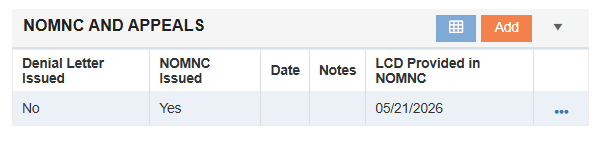
Displays last cover date for NOMNC and appear as blue. This information is pulled from the NOMNC and Appeals tile on the Admissions screen.
Follow Up
-
Displays scheduled follows ups and appear as purple. This information is pulled from the Follow Up Log tile on the Admissions screen.

Calendar Key
Patient updates will be displayed as follows:
