
Review Contract Summary
-
Confirm level of care allowable services and limitations, such as therapy, exclusions, and comments
-
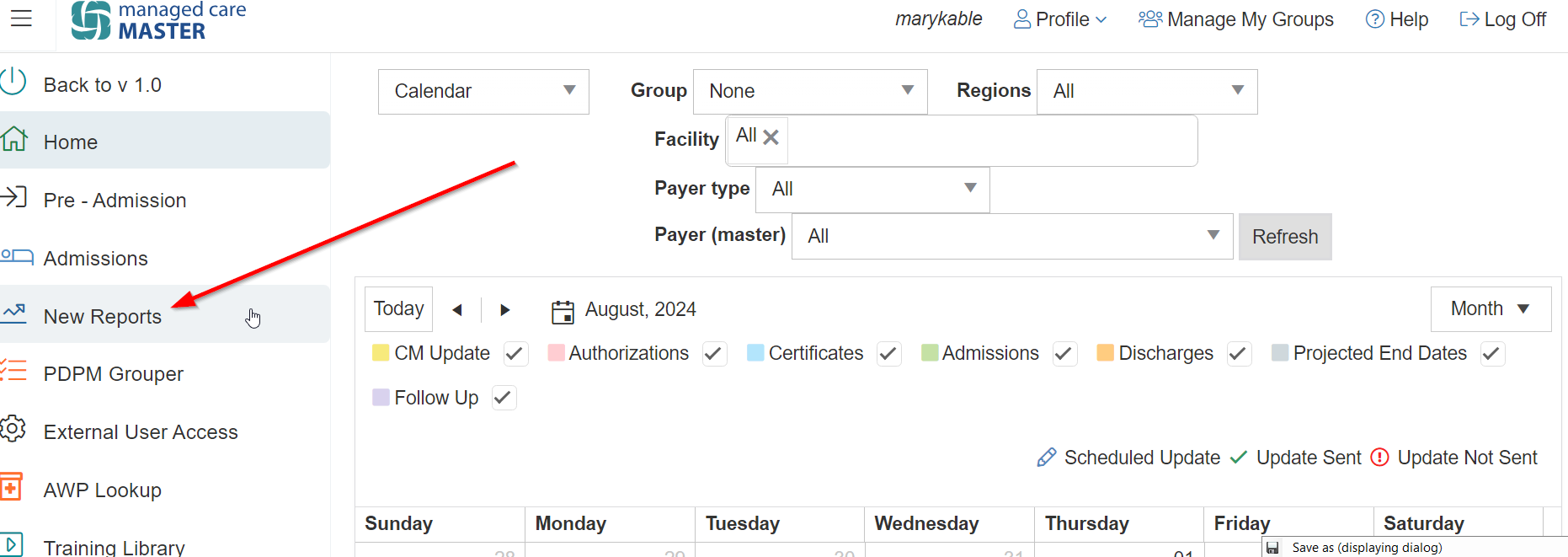
Navigate to New Reports
-
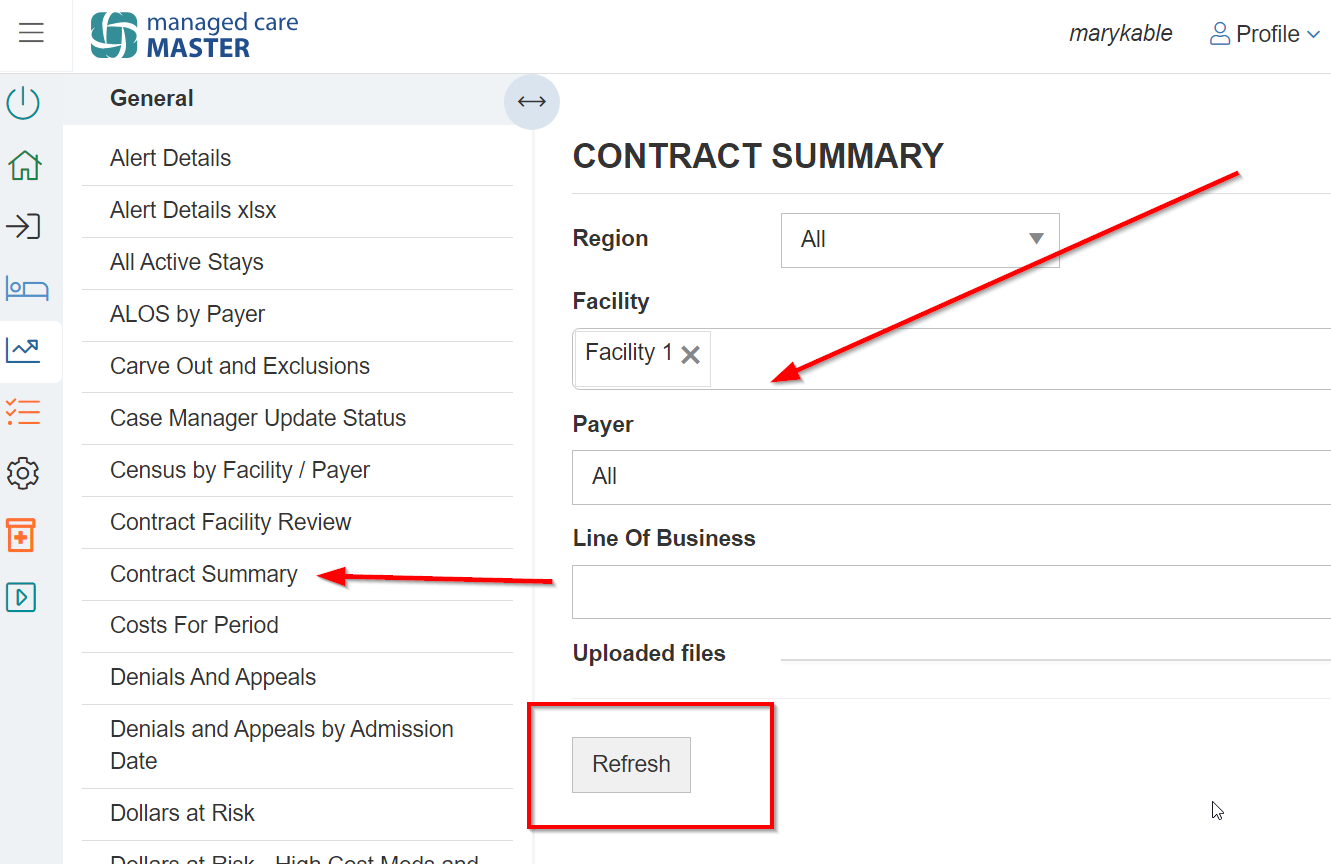
Select Contract Summary to confirm level of care (allowable services and limitations, such as therapy, exclusions, and comments)
-
Apply the desired filters
-
Select Refresh
-
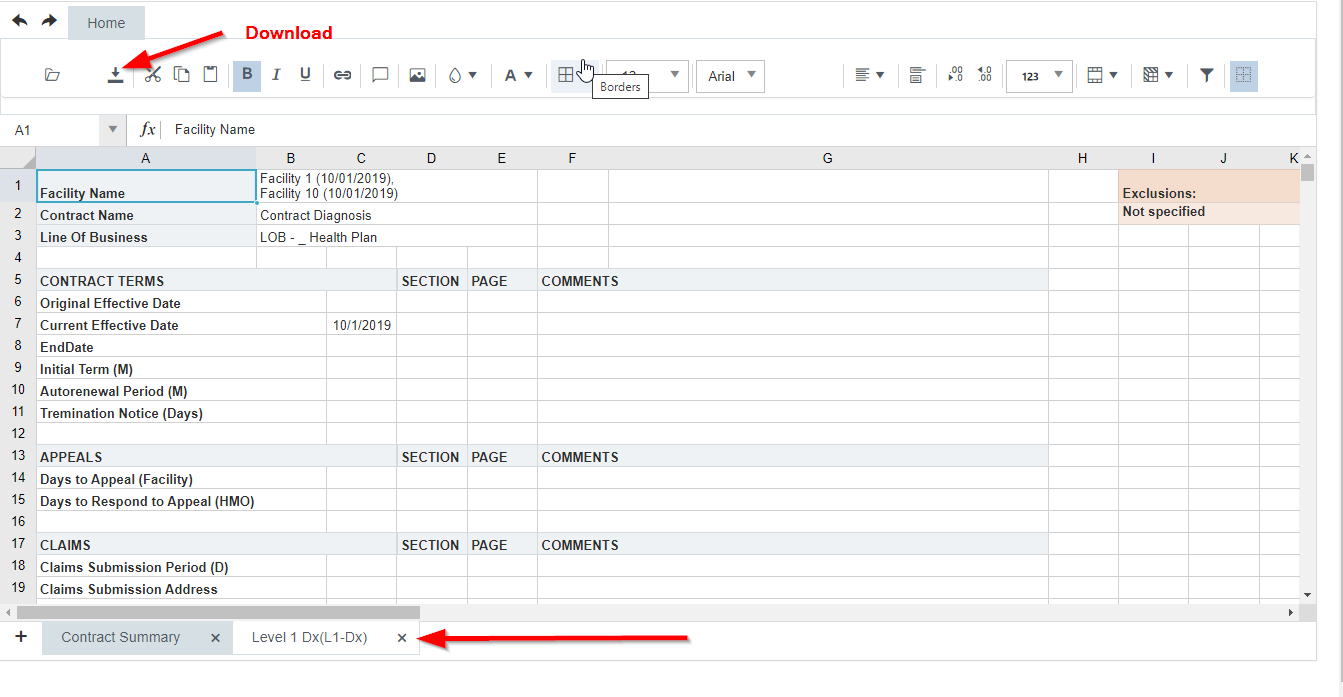
Find your summary in the sheet below
-
Navigate through the tabs as appropriate
-
This sheet is also able to be downloaded into Excel
Confirm Initial Authorization
-
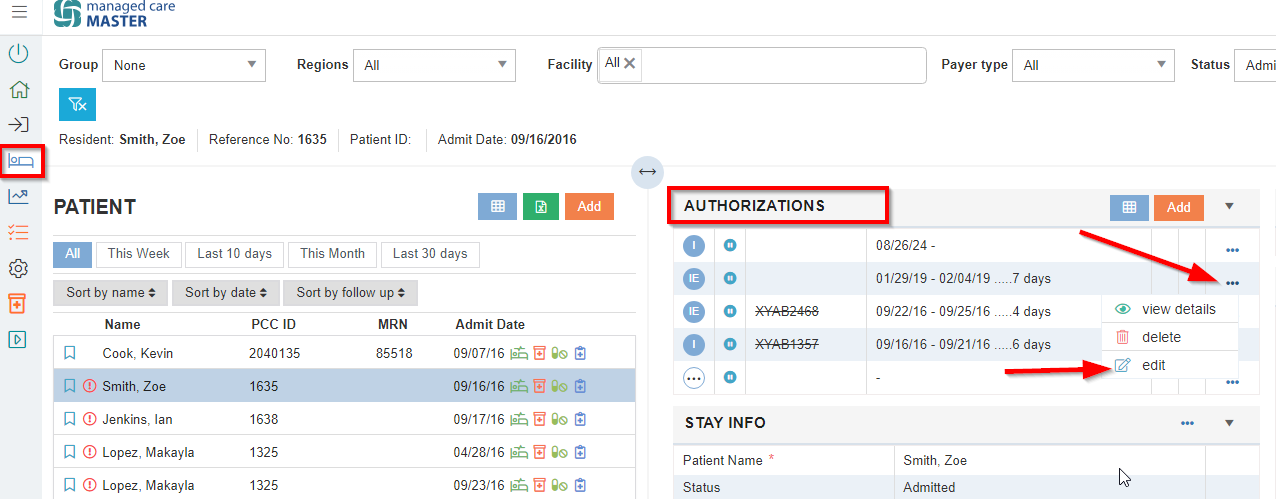
Navigate to the Authorizations tile on the Admissions screen
-
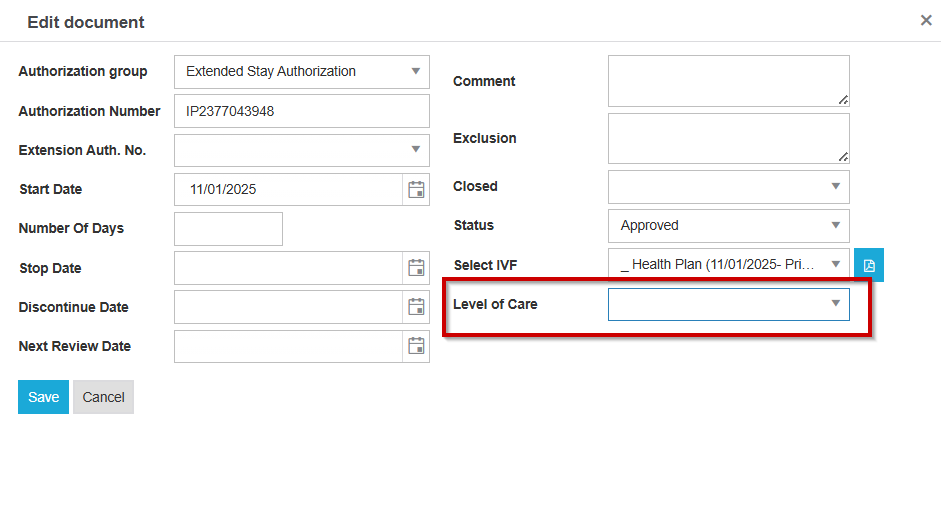
Select the ellipsis to Edit
-
Verify the Level of Care or HIPPS
NOMNC and Appeals
-
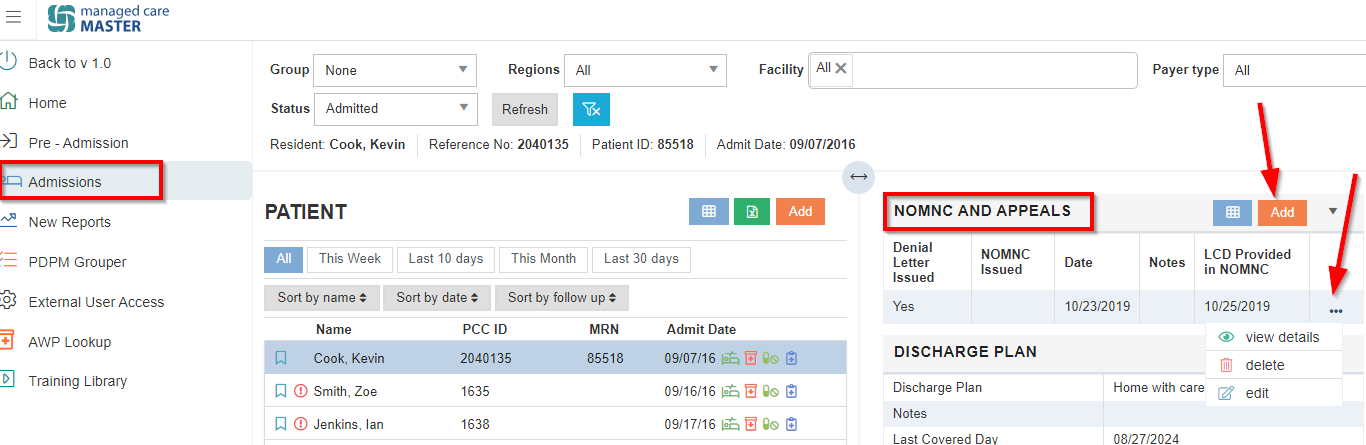
Select Admissions
-
Select the NOMNC and Appeals tile
-
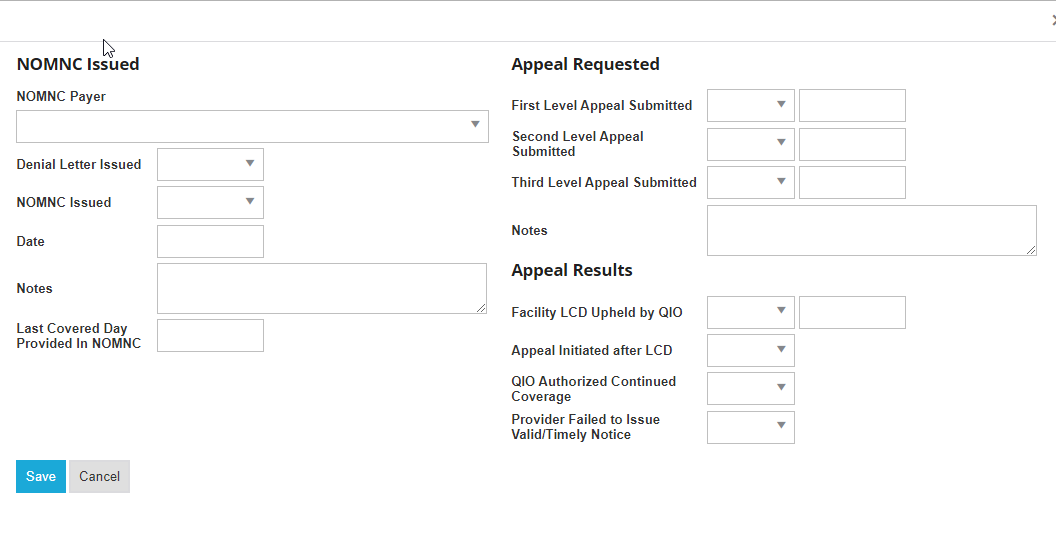
Add or Edit as applicable
-
Information added to this tile will populate on the Denials and Appeals report
Alert Resolution
-
Please refer to this guide to resolve applicable alerts: Reviewing & Resolving Alerts