
Discharge Planning
-
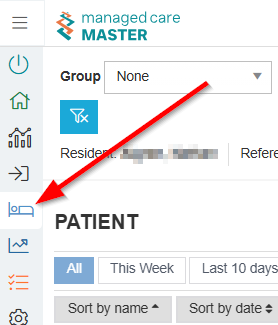
Navigate to the Admissions screen
-
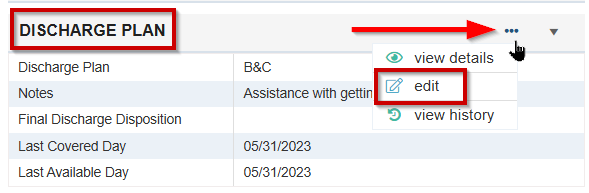
Select the ellipsis on the Discharge Plan tile and edit
-
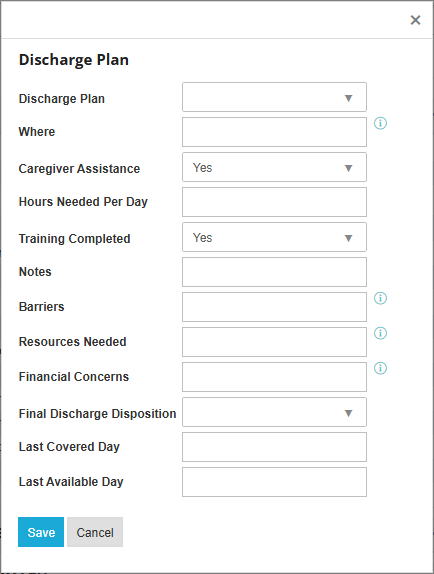
Fill in the information needed and save
Adding Discharge Information on the Patient Update/Managed Care Meeting Tile
-
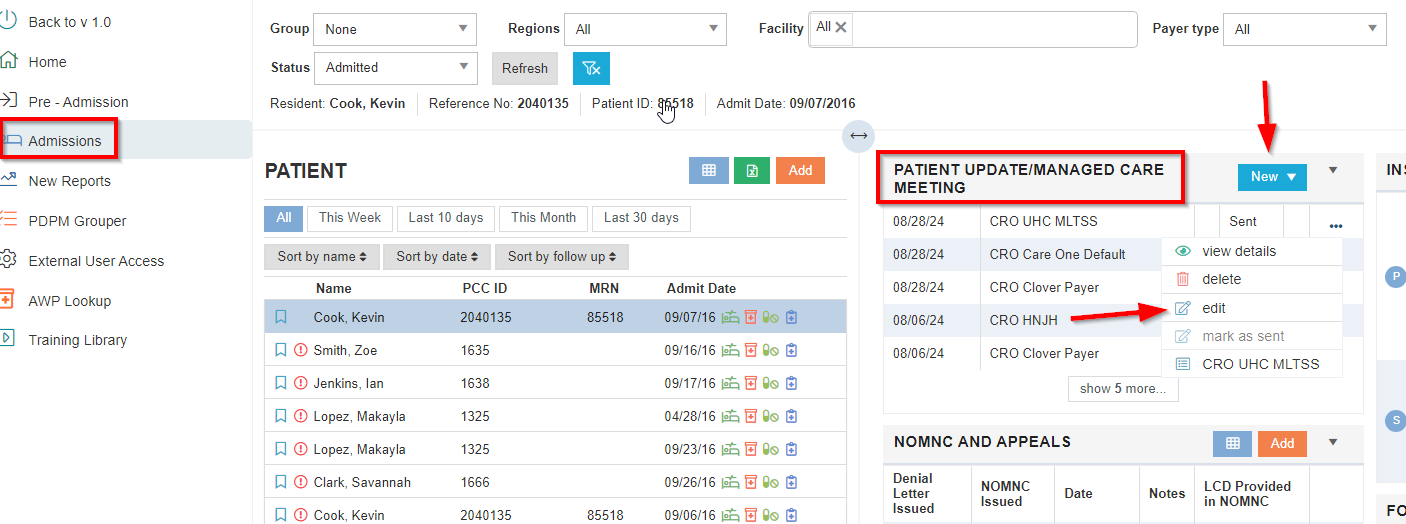
Select Admissions
-
Select the Patient Update/Managed Care Meeting tile
-
Select New to add or Edit a record
-
Add discharge information as applicable
💡 Note: When working on the next update, data from the previous entry will automatically populate. You only need to modify the areas that have changed
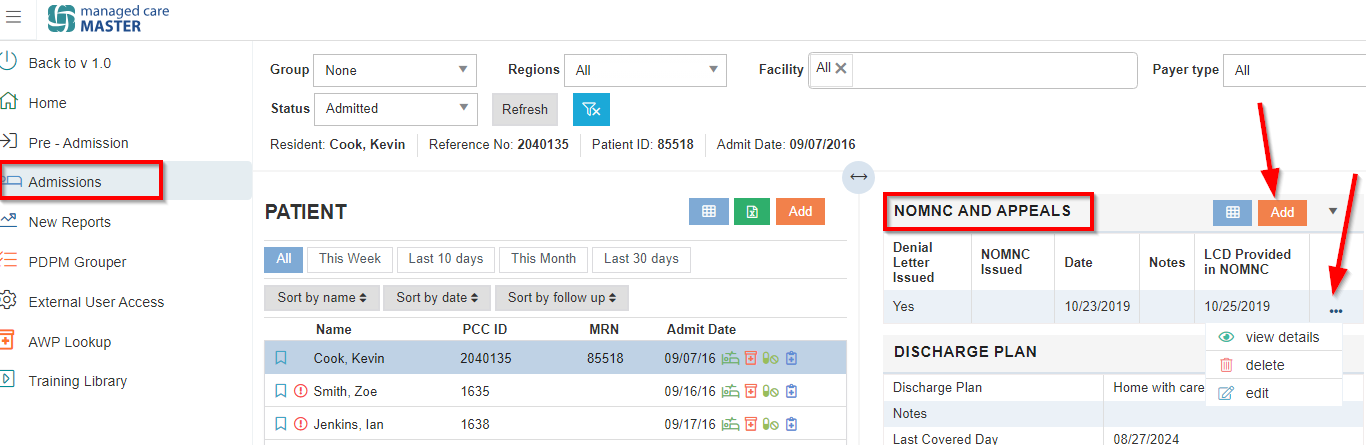
NOMNC and Appeals
-
Select Admissions
-
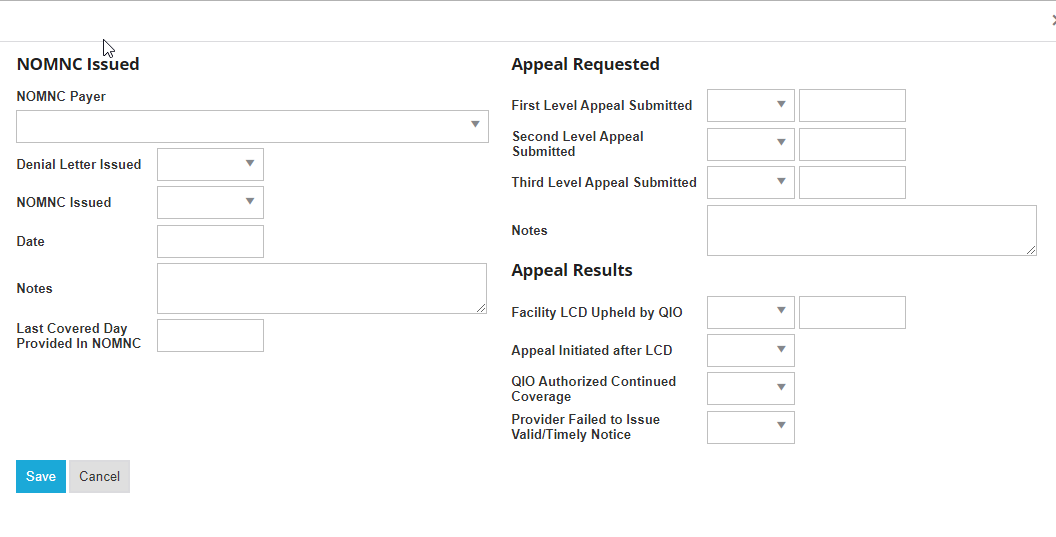
Select the NOMNC and Appeals tile
-
Add or Edit as applicable
-
Information added to this tile will populate on the Denial and Appeals report
Alert Resolution
-
Please refer to this guide to resolve applicable alerts: Reviewing & Resolving Alerts