
Entering a resident's Level of Care (LOC) enables Managed Care Master to analyze the resident's payer contract in greater detail. This allows the system to identify important contract requirements and reimbursement opportunities, generating alerts to help your team take appropriate action.
Entering Level of Care
-
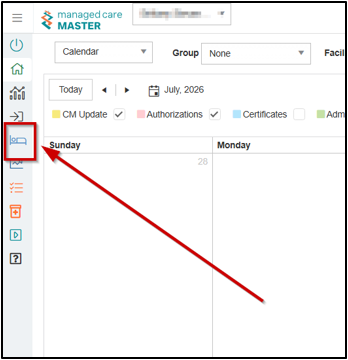
Navigate to the Admissions Screen
-
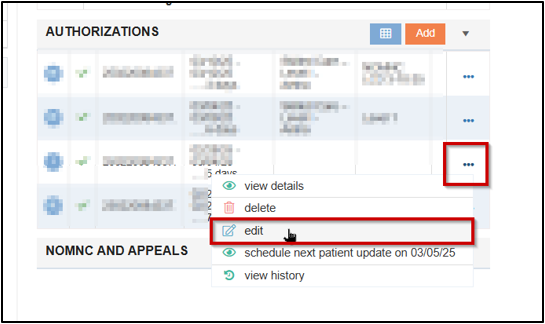
Locate the Authorizations Tile
-
Click the ellipsis and edit
-
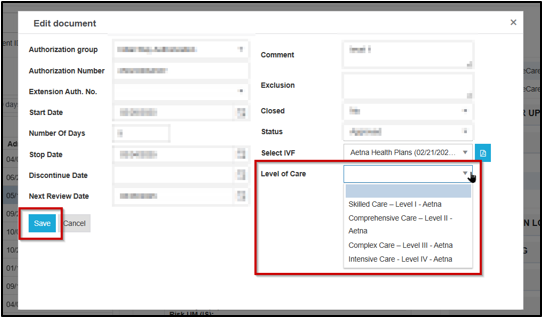
Select the resident’s IVF from the Select IVF dropdown if it has not previously been entered
-
Click the Level of Care dropdown
-
Select the resident’s level of care
-
Save
📑 For a more in depth look at items your Case Manager may be responsible for completing in MCM, please see Case Manager Role
💡 If you do not see options listed in the Level of Care dropdown, or have any other questions, please contact our support team for assistance at 855-424-3914 or service@managedcaremaster.com.