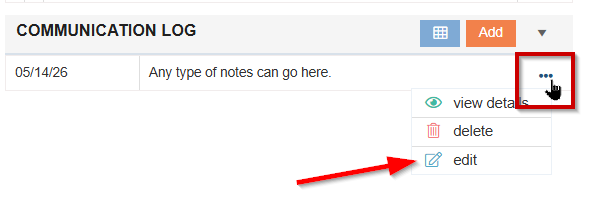
The Communication Log tile provides a space for users to add notes to the patient’s stay. All users have access to view the information added to the Communication Log.

-
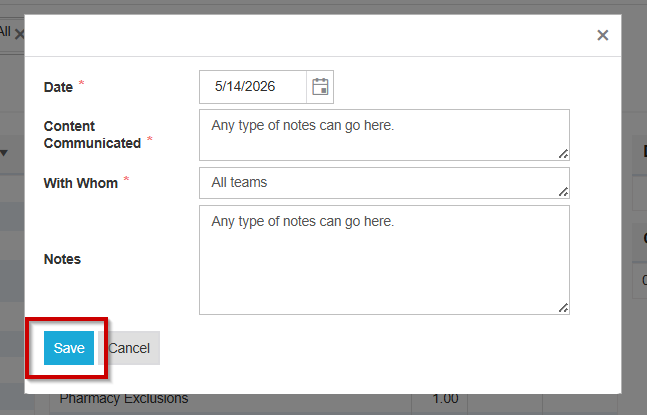
Select Add to input notes on the Communication log.
-
Select Save. Information added will now appear in the tile preview.
-
If you need to make changes to your note, select the Ellipsis and click Edit.