
Tutorial
Pre-Admission Info Tile
The Pre-Admission Info tile displays referral information including patient name, date of birth, gender, expected admission date, facility, insurance, available days, co-pays, UM case manager, and more.
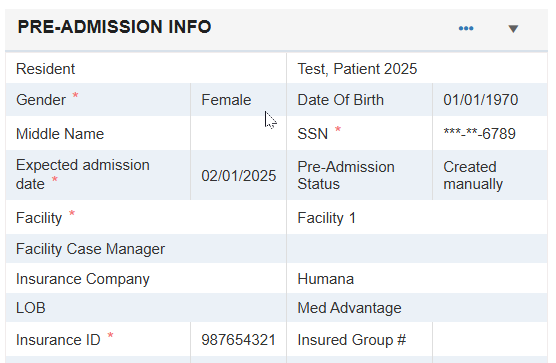
Users can select the ellipsis to View Details, Delete, Edit, Convert, Close, or Activate a referral.
-
View Details - Select View Details to display a read-only view of Pre-Admission information.
-
Delete - Select Delete to permanently remove a referral from the patient list.
⚠️ Take caution when selecting Delete as this information cannot be retrieved once deleted.
-
Edit - Select Edit to add or update referral information.
-
Convert - Do not select Convert without first contacting the MCM Support Team at service@managedcaremaster.com, as this option is rarely used and can cause issues with data in the Admissions screen. Referrals are automatically converted once they admit into the building.
-
Close - Select Close to remove a referral from the active list if the patient does not admit to the facility.
-
Activate - Select Activate to change a closed patient back to active.