Tutorial
Email Process
The Email tile allows users to email other users about the referral they are working from within the MCM application.

-
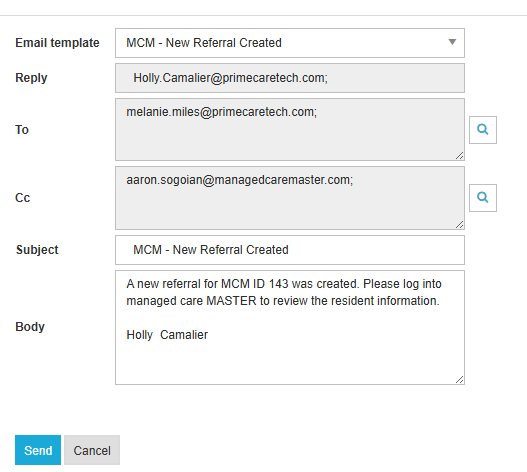
Select Add to create a new email.
-
Choose from different email templates to automatically populate the appropriate information in the body of the email.
-
Select users in the To and Cc fields.
-
Review the Subject Line and Body.
-
Select Send.
📝 To create a custom message, do not select a template.