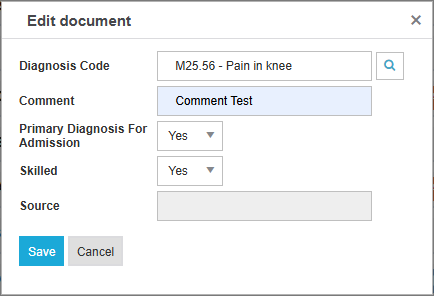
Users may use the Diagnosis tile to input the referral’s primary diagnosis, along with all other diagnoses. This is not required, but any information entered will pull over into Admissions once the referral has admitted.
-
From the Diagnosis tile, select Add.

-
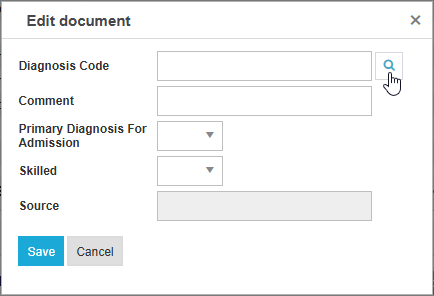
Select the Magnifying Glass icon.
-
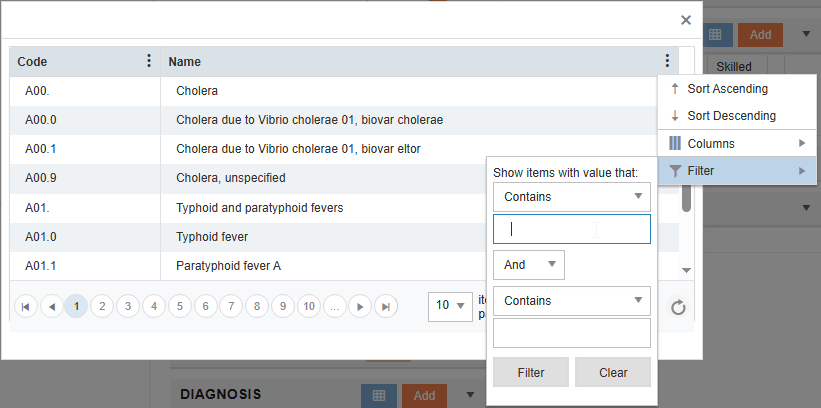
Search for the diagnosis by clicking the ellipsis, filter, and enter a desired keyword or diagnosis code. Then select Filter.
-
Once the search is complete, double click the code on the left side, which will fill in the diagnosis code in the Add screen. Use the Comment section to add comments and the drop-downs for indicating whether the diagnosis is considered Primary and Skilled.
-
Click Save.