Tutorial
Cost Out Tile Details
The Cost Out tile displays information pertaining to the daily costs of the patient compared to the contracted daily rate, providing an estimated daily net profit if the patient admits.
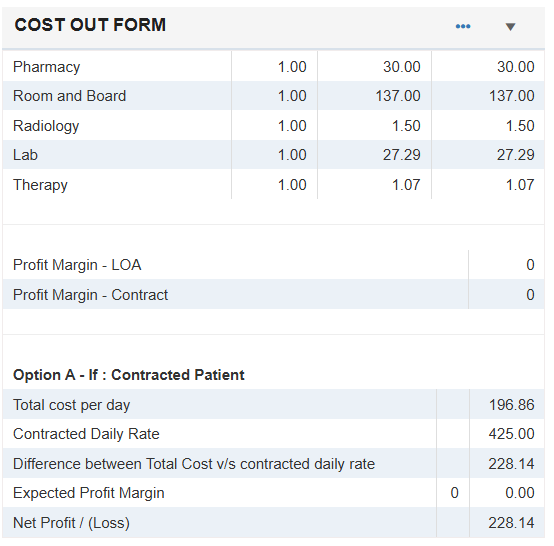
Users can select the ellipsis to View Details or Edit cost out information for a referral.
-
View Details - Select View Details to display a read-only view of Cost Out information.
-
Edit - Select Edit to add or update Cost Out information.
-
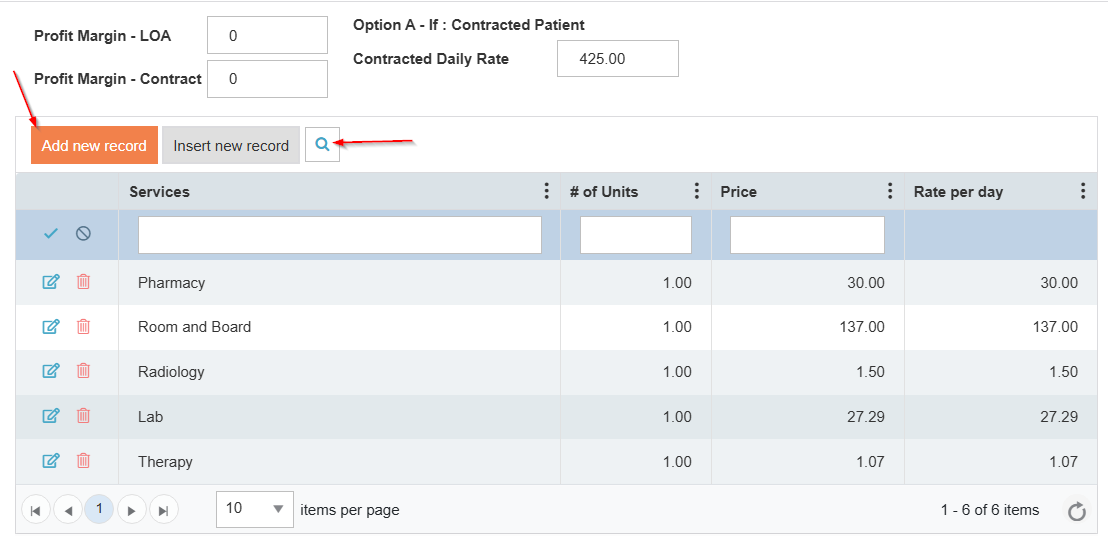
To add a medication to the Cost Out form, select Add New Record, then select the Magnifying Glass.
-
-
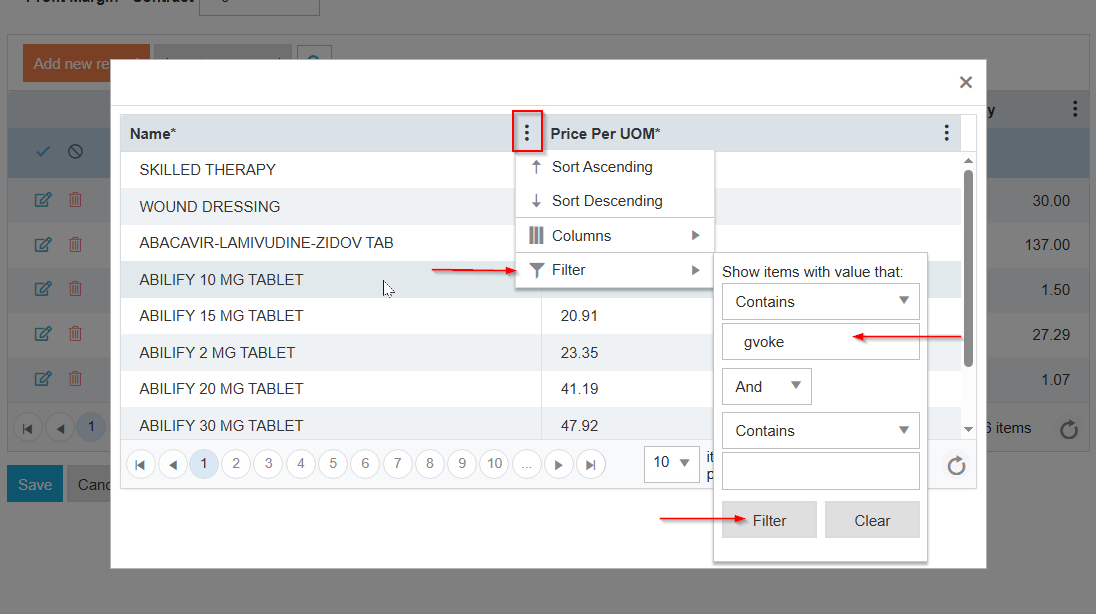
Select the Ellipsis on the name column, scroll down to Filter, then Contains and enter the medication name, then select Filter at the bottom.
-
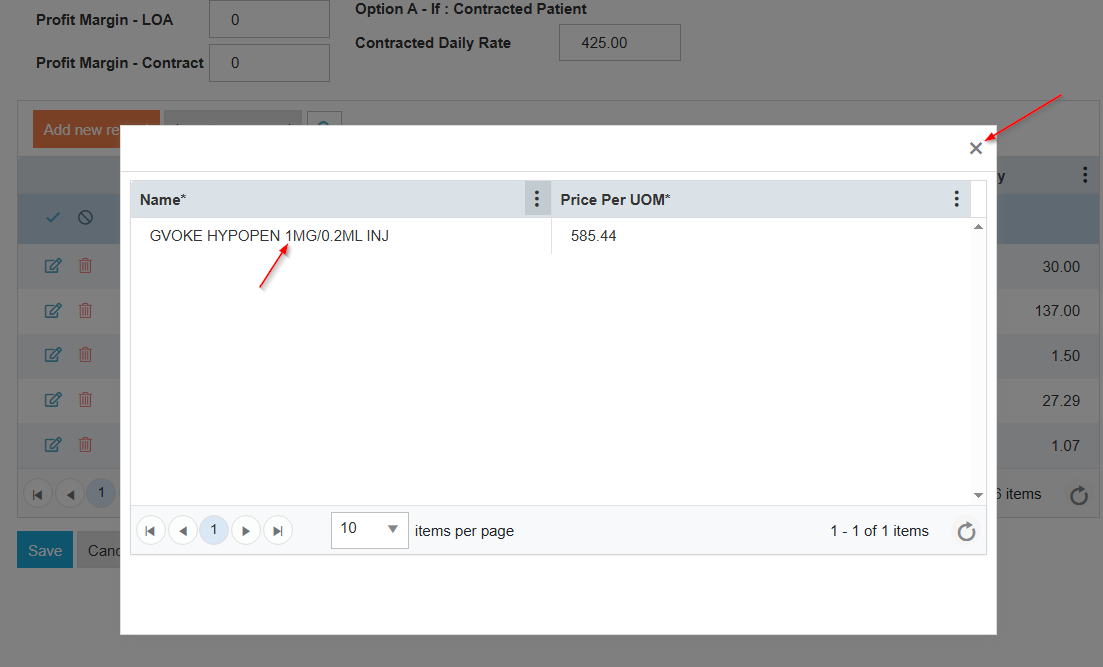
Double click the medication and exit the screen. This will populate the medication in the form.
-
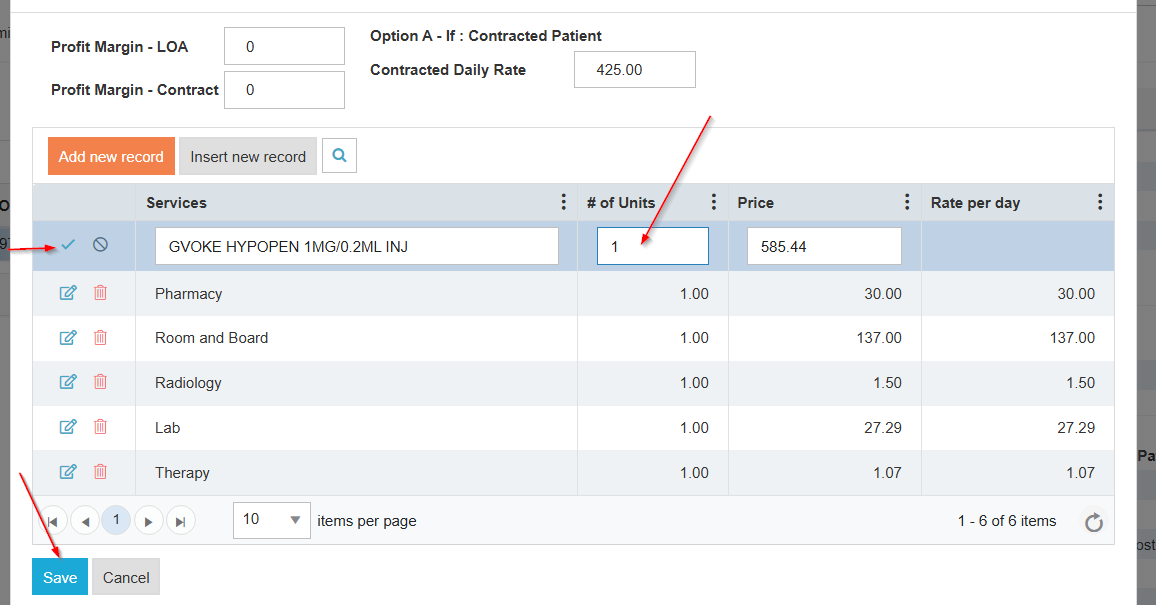
Enter the # of Units and select the Checkmark and then Save.
-
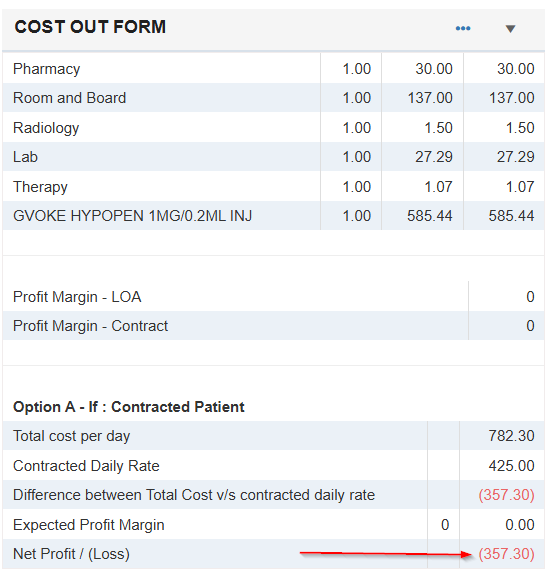
The Cost Out form now includes the high cost medication, showing a negative Net Profit (loss).