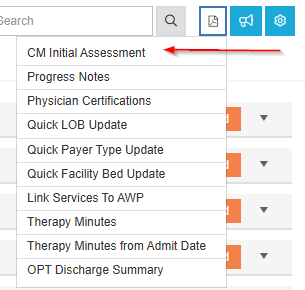
The CM Initial Assessment tile provides a space for users to document the resident's basic care needs, prior level of function, and legal care document information.
Users may save as a PDF and send this documentation to the payer.
|
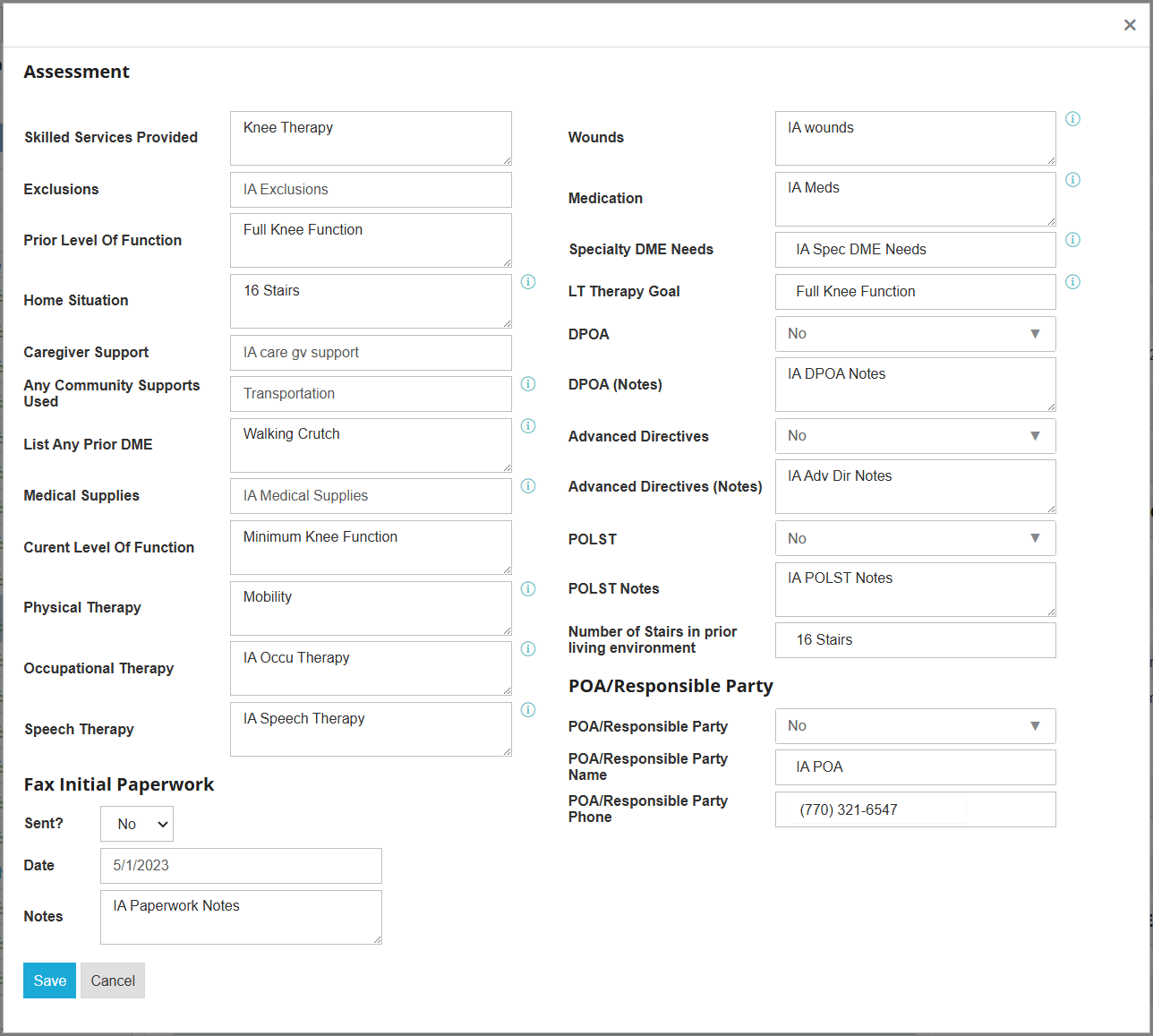
Assessment |
|
|
Skilled Services Provided |
All skilled services that the resident will receive |
|
Exclusions |
Any exclusions from the payer |
|
Prior Level Of Function |
Resident's prior level of function before the skilled stay |
|
Home Situation |
Resident's living situation |
|
Caregiver Support |
Any support the resident receives from a caregiver |
|
Any Community Supports Used |
Any support the resident receives from the community |
|
List Any Prior DME |
Any durable medical equipment the resident used prior to the skilled stay |
|
Medical Supplies |
Medical supplies for the resident |
|
Current Level Of Function |
Resident's current level of function |
|
Physical Therapy |
Resident's physical therapy requirements |
|
Occupational Therapy |
Resident's occupational therapy requirements |
|
Speech Therapy |
Resident's speech therapy requirements |
|
Wounds |
Wound treatment requirements |
|
Medication |
Medication requirements |
|
Specialty DME Needs |
Specialty durable medical equipment requirements |
|
LT Therapy Goal |
Long term therapy goal |
|
DPOA |
Does the resident have a Durable Power of Attorney |
|
DPOA (Notes) |
Durable Power of Attorney notes |
|
Advanced Directives |
Does the resident have an advanced directive |
|
Advanced Directives (Notes) |
Advanced directive notes |
|
POLST |
Does the resident have Physician Orders for Life-Sustaining Treatment |
|
POLST Notes |
Physician Orders for Life-Sustaining Treatment notes |
|
Number of Stairs in prior living environment |
Stairs in the resident's prior living environment |
|
POA/Responsible Party |
Does the resident have a responsible party for the power of attorney |
|
POA/Responsible Party Name |
Name of responsible party |
|
POA/Responsible Party Phone |
Phone number of the responsible party |
|
Sent? |
Has the initial paperwork been sent to the payer |
|
Date |
Date intial paperwork was sent to payer |
|
Notes |
Notate any additional information |
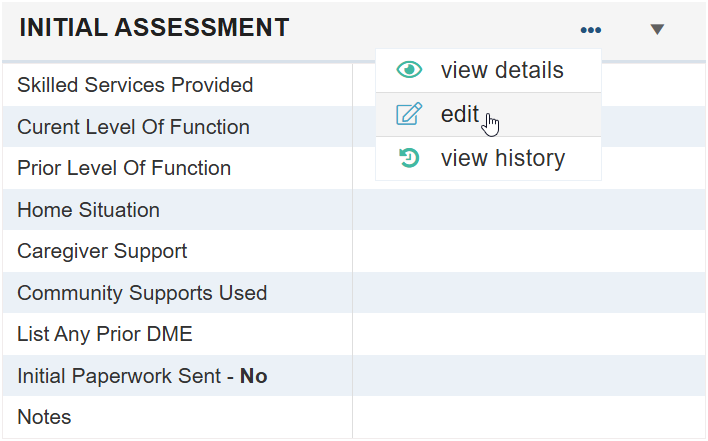
To enter/edit, click the ellipsis and select edit.
To save/print, select CM Initial Assessment from the Additional Documents icon at the top of the Admissions Screen.