
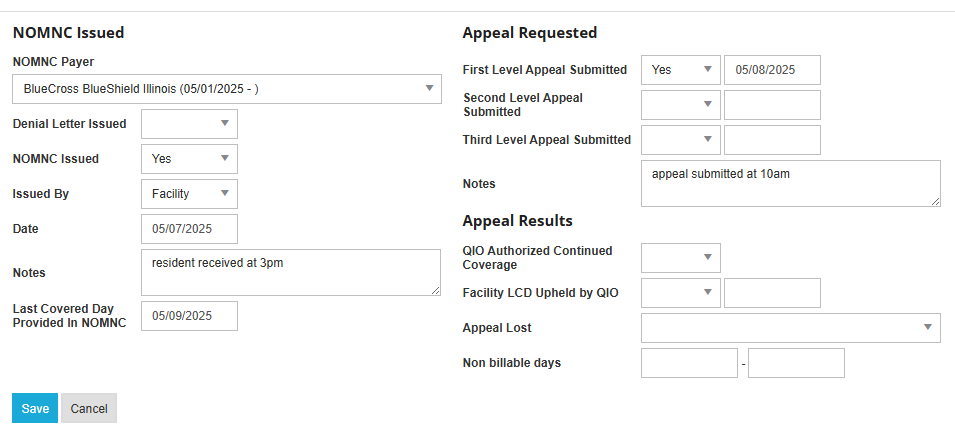
The NOMNC and Appeals tile allows user to track NOMNC and appeal information including when the NOMNC or denial was issued, who it was issued by, last covered day, appeal submissions and results, as well as non-billable days.
-
To add a NOMNC, select Add from the top right of the tile.

-
Enter relevant information and select Save.
-
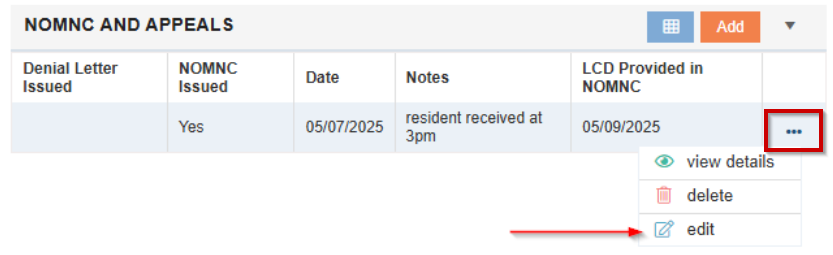
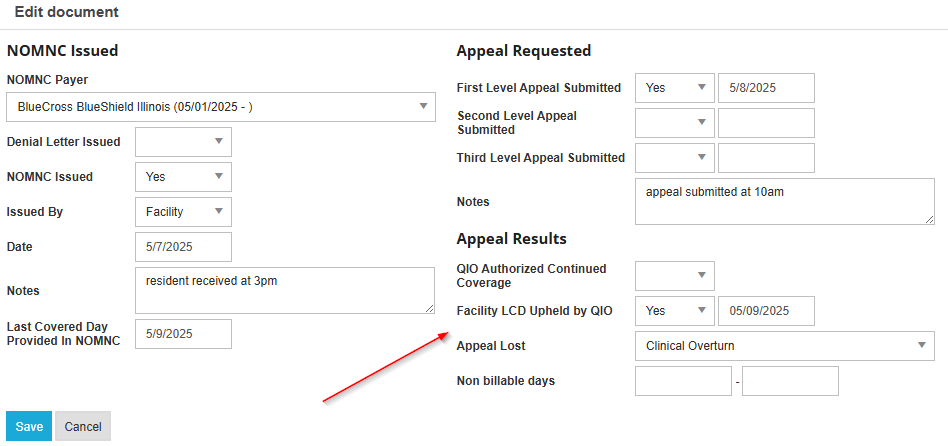
When appeal results are received, select Edit from the ellipsis and enter the applicable information and Save.
💡 This information is tracked in the Denials and Appeals Reports.