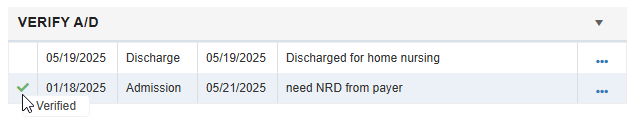
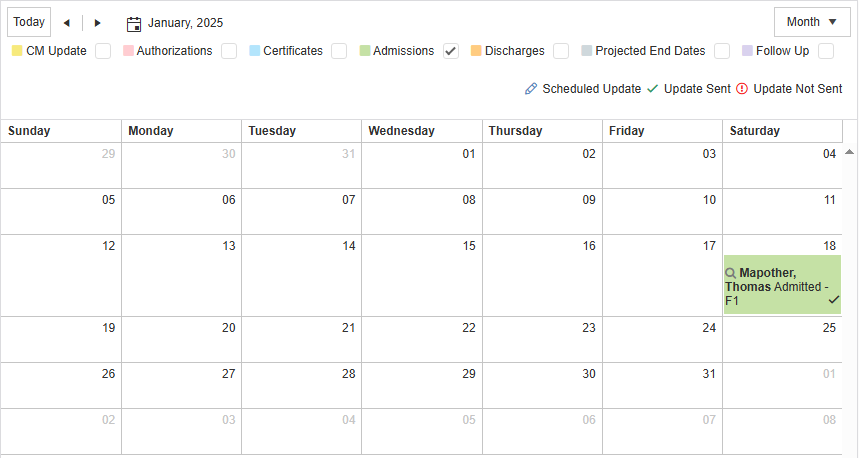
The Verify A/D tile assists with marking admissions and discharge dates as verified for each resident into the Home Calendar.
This report works in correlation with the Verify A/D report in the New Reports screen.
|
Admission Verified |
Select between “Yes” or “No” |
|
Admission Verification Date |
Date of verification |
|
Comment (Admission) |
Free form field to allow comments useful to the user or team regarding admission |
|
Discharge Verified |
Select between “Yes” or “No” |
|
Discharge Verification Date |
Date of verification |
|
Comment (Discharge) |
Free form field to allow comments useful to the user or team regarding discharge |
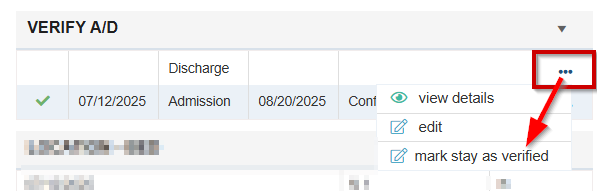
Admissions and Discharge Dates will auto-populate if they have been entered in the EMR. The Admission Date can be verified by selecting the ellipsis and selecting “mark stay as verified” which will update the tile and the Home Calendar.