Tutorial
For a walkthrough on how to fill out the PDPM Grouper, see the video tutorial under the Pre-Admissions section. In the Admissions page, it is accessed through the PDPM Grouper tile instead of the Settings icon at the top.

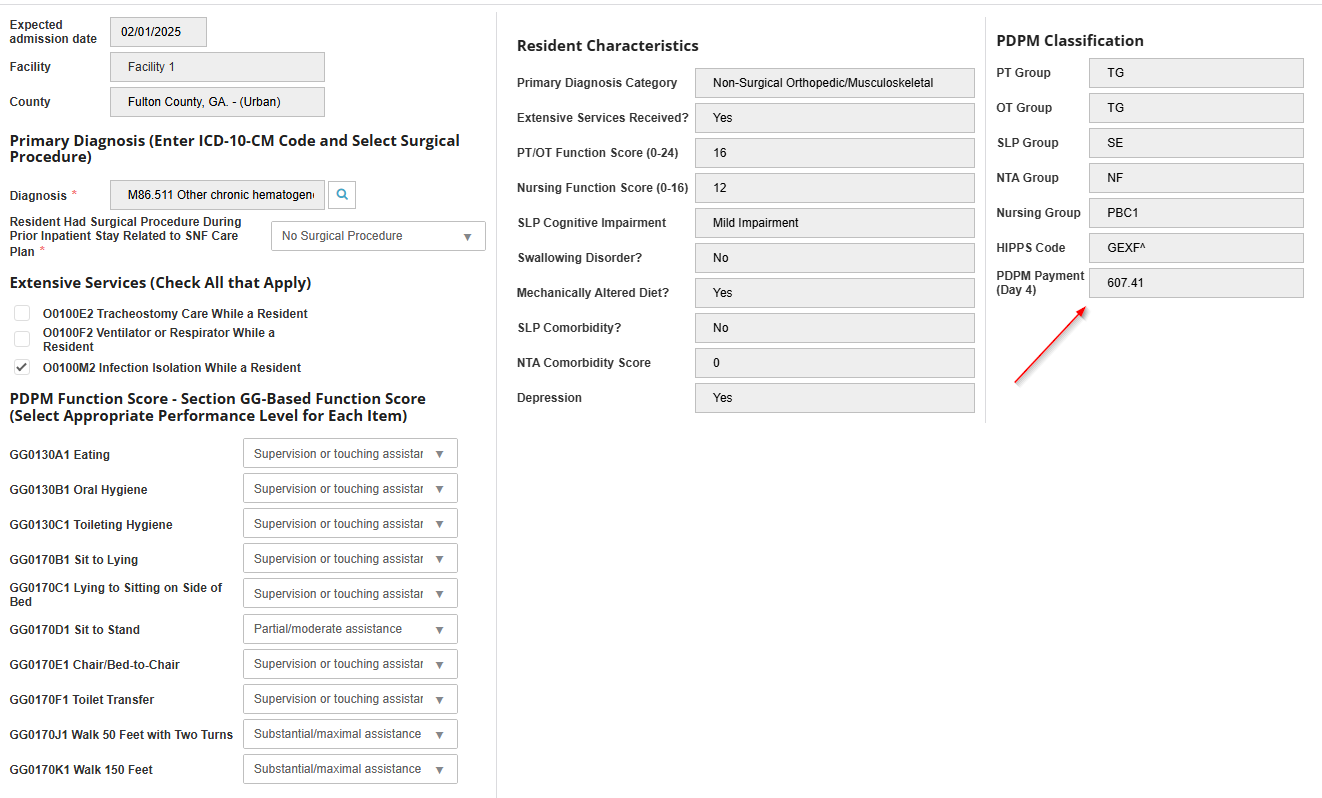
The PDPM Grouper tile allows users to determine and view the HIPPS code based on the referral’s primary diagnosis code and functional scores, providing an estimated daily reimbursement.
-
On the pop-up, complete the applicable fields.
-
Once all of the Resident Characteristics and PDPM Classifications have populated, the Day 4 reimbursement will be calculated.
-
Select Save.
To download and print in PDF see Print PDPM Details