
The Communication Log tile provides a space for users to add notes to the patient’s stay. All users have access to view the information added to the Communication Log.

-
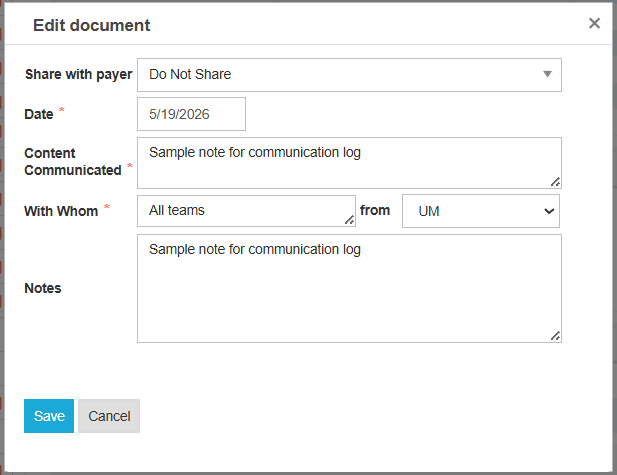
Select Add to input notes on the Communication log.
|
Share with payer |
Select Do Not Share, or the current primary payer |
|
Date |
Date when the log was created |
|
Content Communicated |
Comments visible to all users who have access to the patient’s stay |
|
With Whom |
Label of who this log is to be communicated to |
|
From |
Select Payer or UM |
|
Notes |
Yes/No flag to indicate if diagnosis can be treated by skilled post-acute care |
-
Select Save. Information added will now appear in the tile preview.
-
The user that took action in the Communication Log tile will show in the tile preview on the Admissions screen.