
Tutorial
The Therapy Management Report provides a table of values showing patient therapy data (OT/PT/ST) compared to payer contract requirements and calls out variance over a specified period of time.
The standard and xlsx reports compare minutes of therapy, while the days report compares days where care occurred.
The table is exportable to PDF.
|
Region |
Select which regions to include or All |
|
Facility |
Select which facilities to include or All |
|
Payer (master) |
Select “master” payer which includes linked contracts for that insurance |
|
Time Period |
Preset time periods you can choose from OR |
|
Service Date Range |
Manually adjust date range. Will populate off of Time Period, but you can adjust and will drive report logic |
|
View Patients with Variance |
Check box to only show patients that have a total of minutes that falls outside of the threshold provided by their selected payer. |
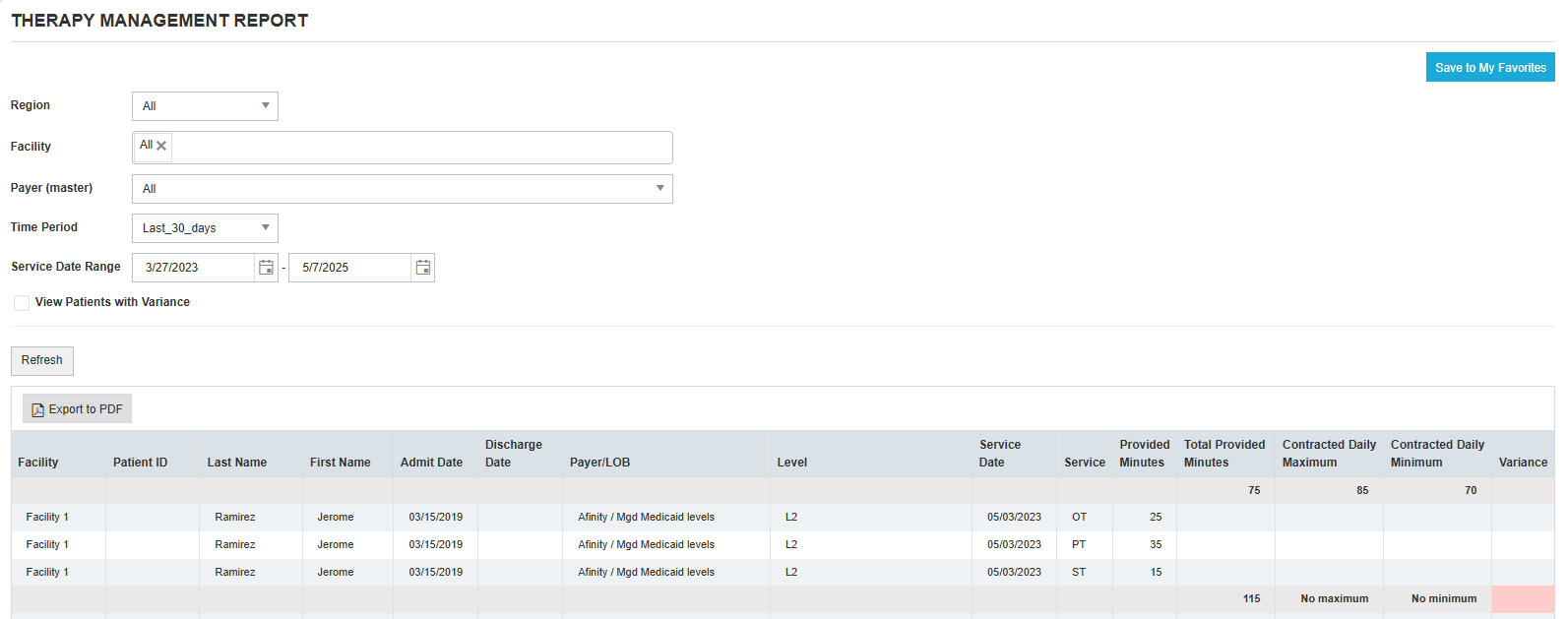
Example below shows an example of patients with a variance, meaning therapy minutes that are above the contracted daily maximum or below the contracted daily minimum:
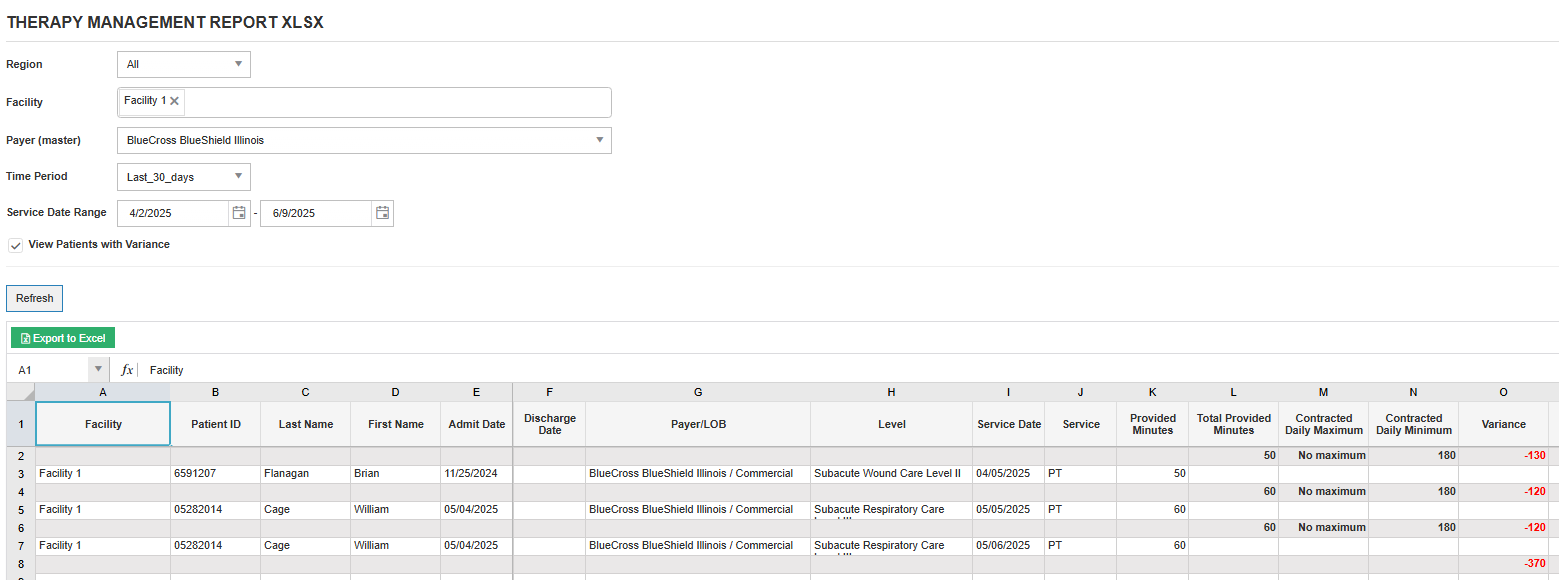
Therapy Management Report Days
The Days version of the report compares total number of treated days (as opposed to minutes in the standard report) as some payer contracts are specific to the number of days min/max.
The data is exportable to Excel.
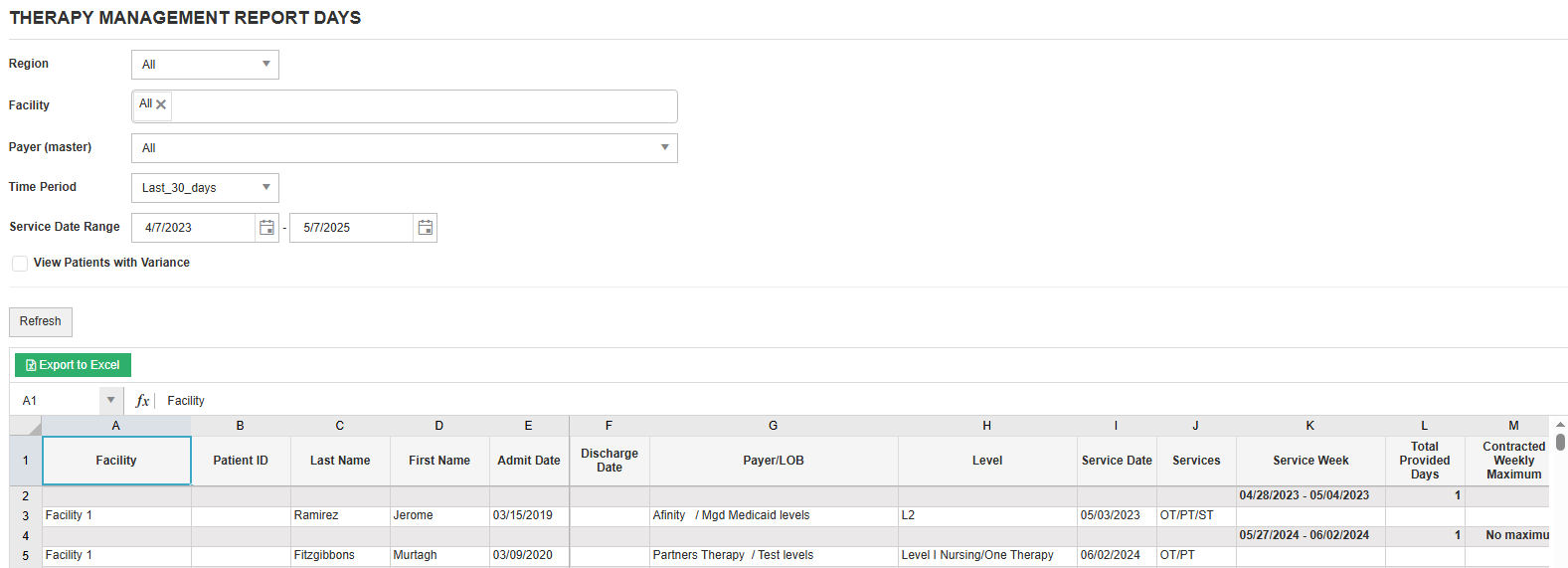
Therapy Management Report xlsx
The xlsx version of the report is the same as the standard version of the report but is exportable to Excel.