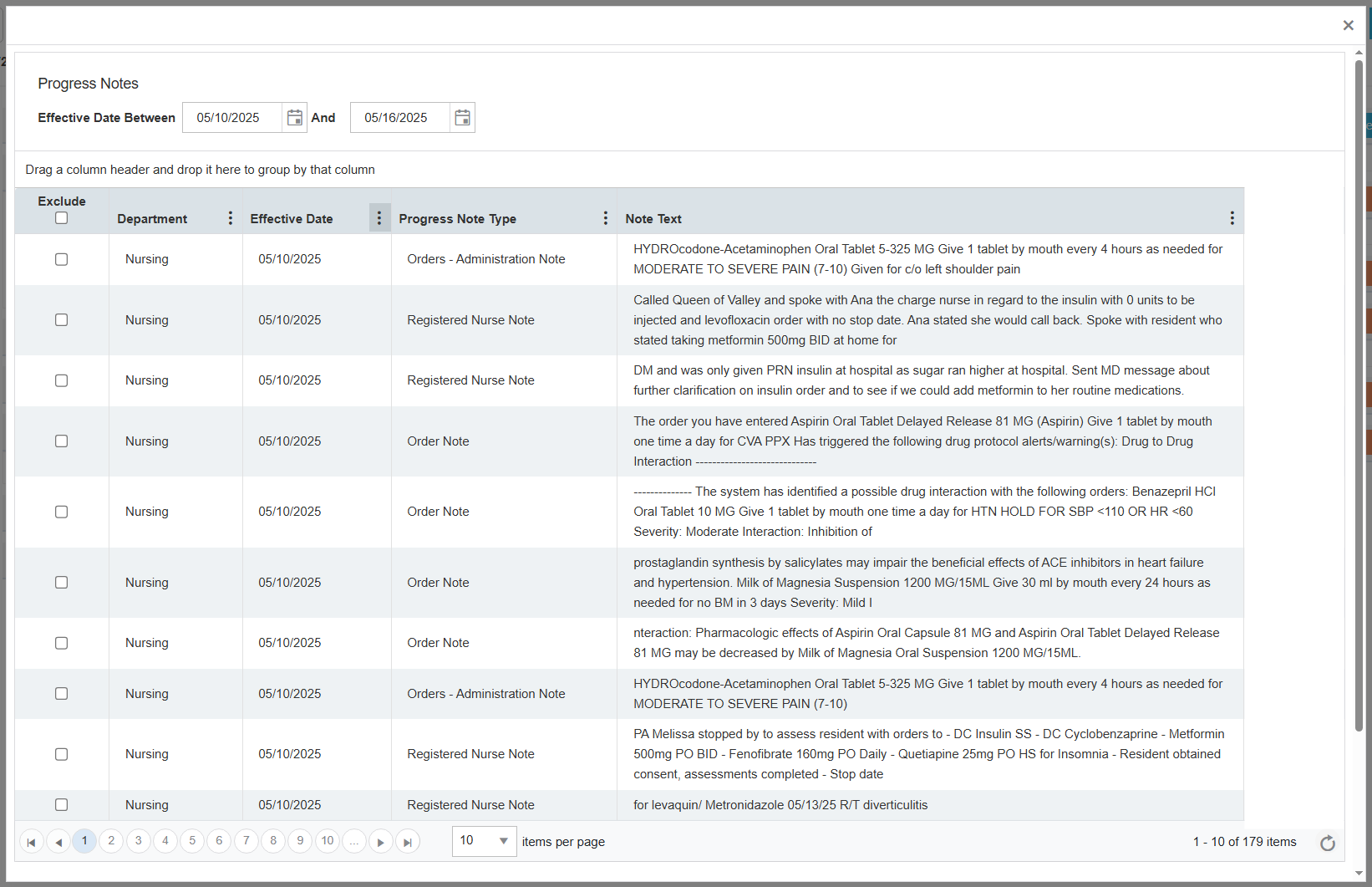
The Progress Notes button allows you to view a list of progress notes that are pulled from the EHR system.
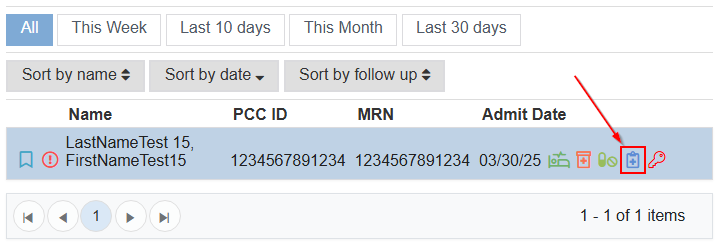
You can locate the button to the right side of the resident name in the Admissions screen, in the resident listing, as a small blue clipboard.
It shows progress notes by date.